WeCom only supports Docker deployment or server Python deployment. Local run mode is not supported.
1. Prerequisites
Required resources:- A server with public IP (overseas server, or domestic server with a proxy for international API access)
- A registered WeCom account (individual registration is possible but cannot be certified)
- Certified WeCom accounts additionally require a domain filed under the corresponding entity
2. Create WeCom App
-
In the WeCom Admin Console, click My Enterprise and find the Corp ID at the bottom of the page. Save this ID for the
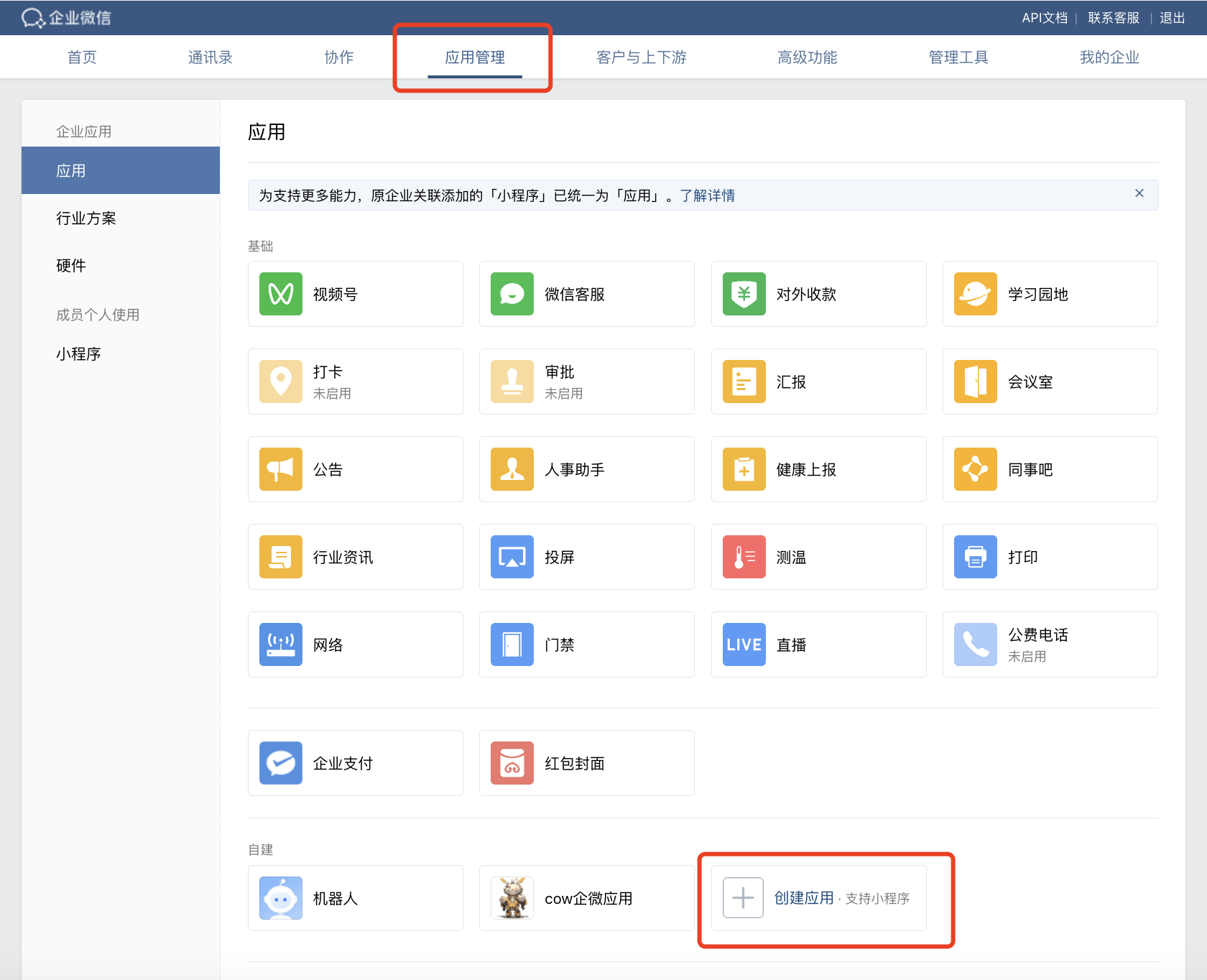
wechatcom_corp_idconfiguration field. - Switch to Application Management and click Create Application:
- On the application creation page, record the
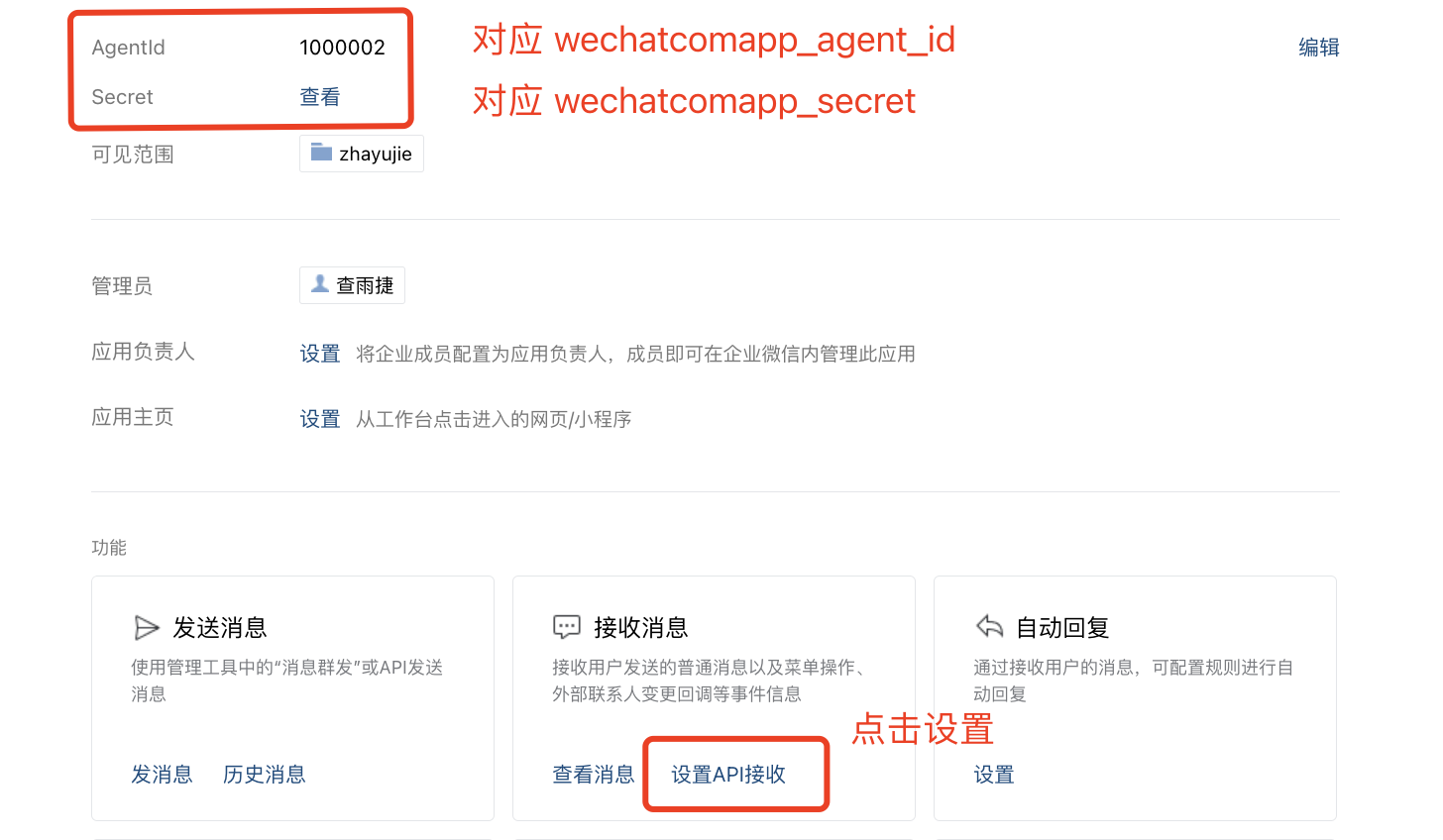
AgentIdandSecret:
- Click Set API Reception to configure the application interface:
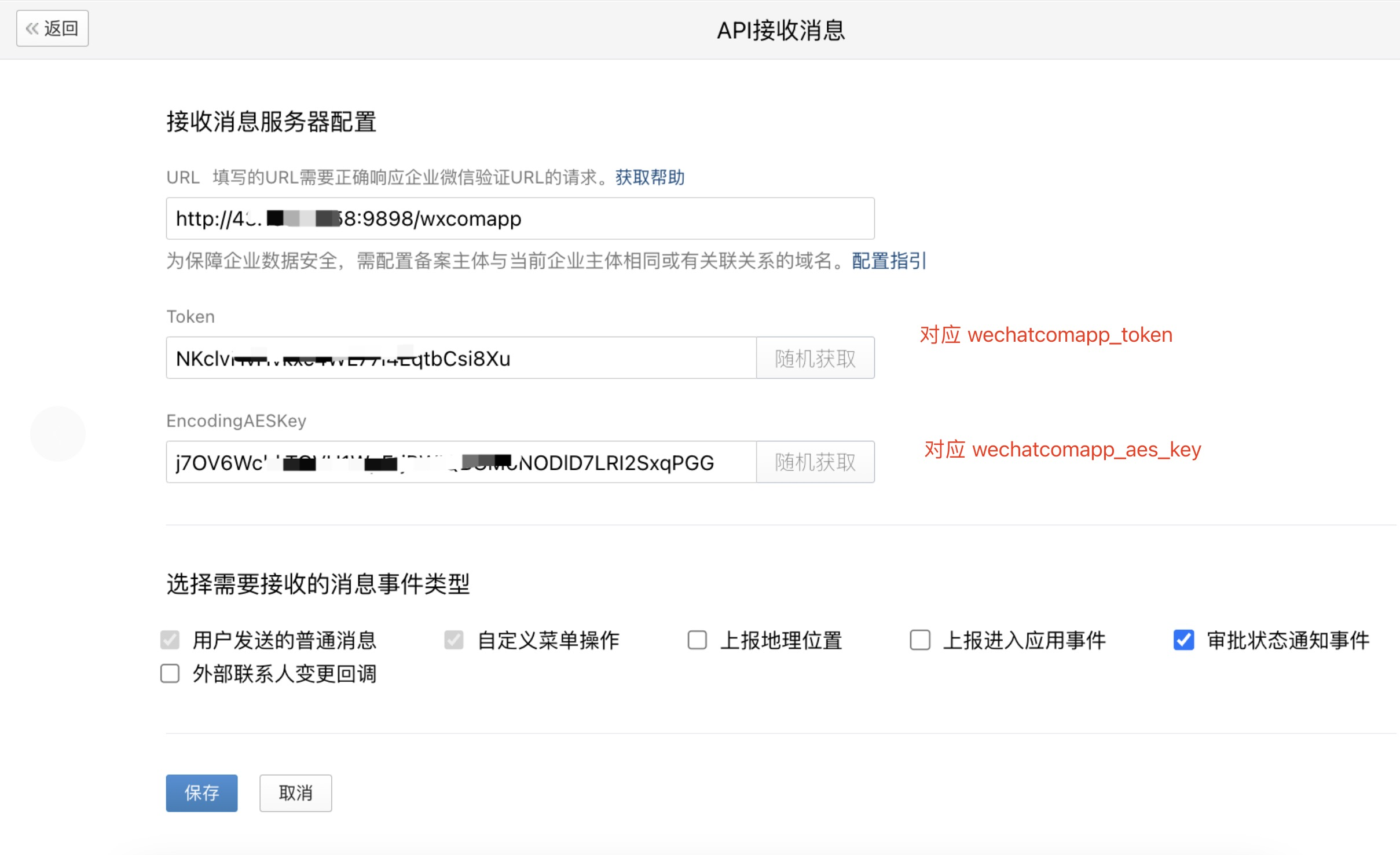
- URL format:
http://ip:port/wxcomapp(certified enterprises must use a filed domain) - Generate random
TokenandEncodingAESKeyand save them for the configuration file
The API reception configuration cannot be saved at this point because the program hasn’t started yet. Come back to save it after the project is running.
3. Configuration and Run
Add the following configuration toconfig.json (the mapping between each parameter and the WeCom console is shown in the screenshots above):
After configuration, start the program. When the log shows
http://0.0.0.0:9898/, the program is running successfully. You need to open this port externally (e.g., allow it in the cloud server security group).
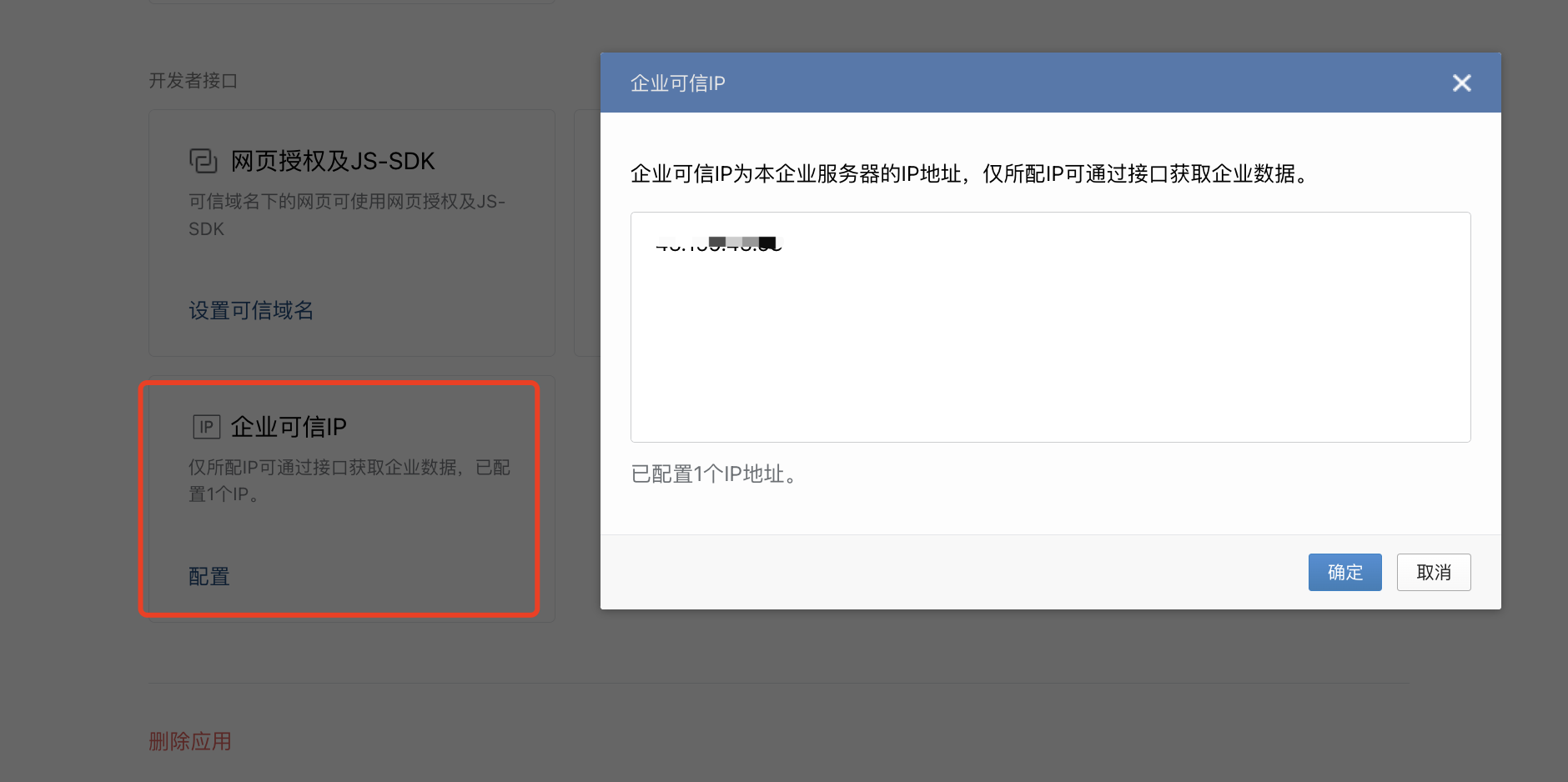
After the program starts, return to the WeCom Admin Console to save the Message Server Configuration. After saving successfully, you also need to add the server IP to Enterprise Trusted IPs, otherwise messages cannot be sent or received:
4. Usage
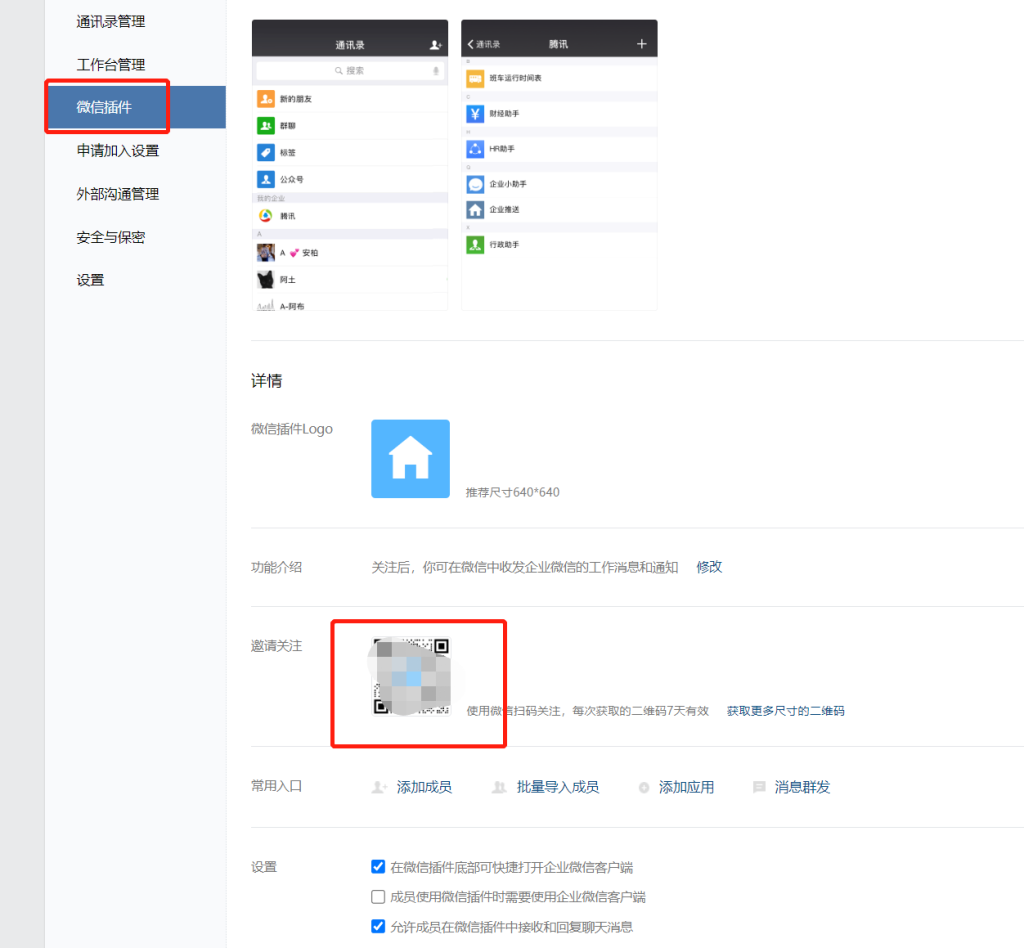
Search for the app name you just created in WeCom to start chatting directly. You can run multiple instances listening on different ports to create multiple WeCom apps: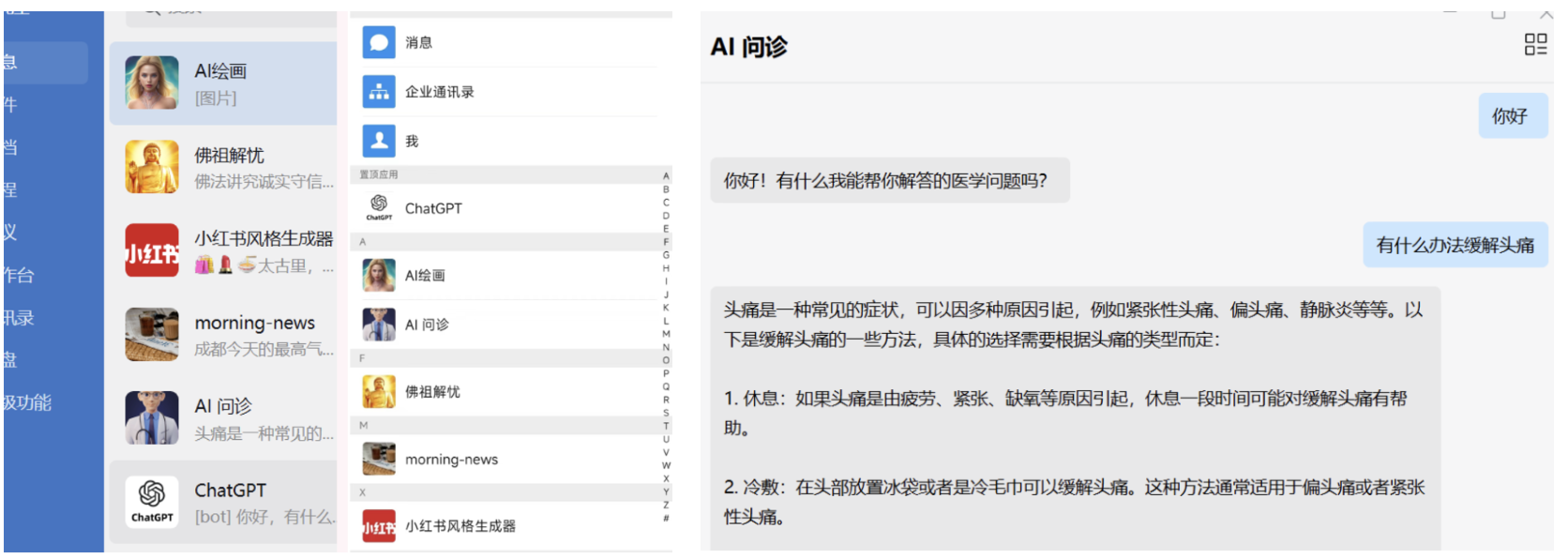 To allow external personal WeChat users to use the app, go to My Enterprise → WeChat Plugin, share the invite QR code. After scanning and following, personal WeChat users can join and chat with the app: