Configuration
Once a password is configured, you must enter it to log in when accessing the console. The login session is kept for 30 days by default, so restarting the service during that period does not require re-login. The password can also be changed online from the “Configuration” page in the console.
Access URL
After starting the project, visit:- Local:
http://localhost:9899 - Server:
http://<server-ip>:9899
Ensure the server firewall and security group allow the corresponding port.
HTTPS and Domain Access
To serve the console on a domain with HTTPS, use one of the two setups below. Option 1: nginx reverse proxy (recommended). Let nginx terminate TLS and forward plain HTTP to the console, and set"web_host": "127.0.0.1" so the console is only reachable through nginx:
A missing or unreadable certificate stops startup with an error instead of falling back to HTTP.
The console must be served at the root path; use a dedicated subdomain rather than a sub-path such as
/cow/. If you use MCP servers with OAuth, also set "mcp_oauth_redirect_base": "https://cow.example.com".Chat API
The Web Console’s port also serves an OpenAI-compatible chat API,/v1/chat/completions. It is off by default; turn it on and get an API key from the Chat API card on the settings page. See Chat API.
Features
Chat Interface
Supports streaming output with real-time display of the Agent’s reasoning process and tool calls, providing intuitive observation of the Agent’s decision-making. Deep thinking can be toggled via configuration or the “Agent Configuration” switch in the console.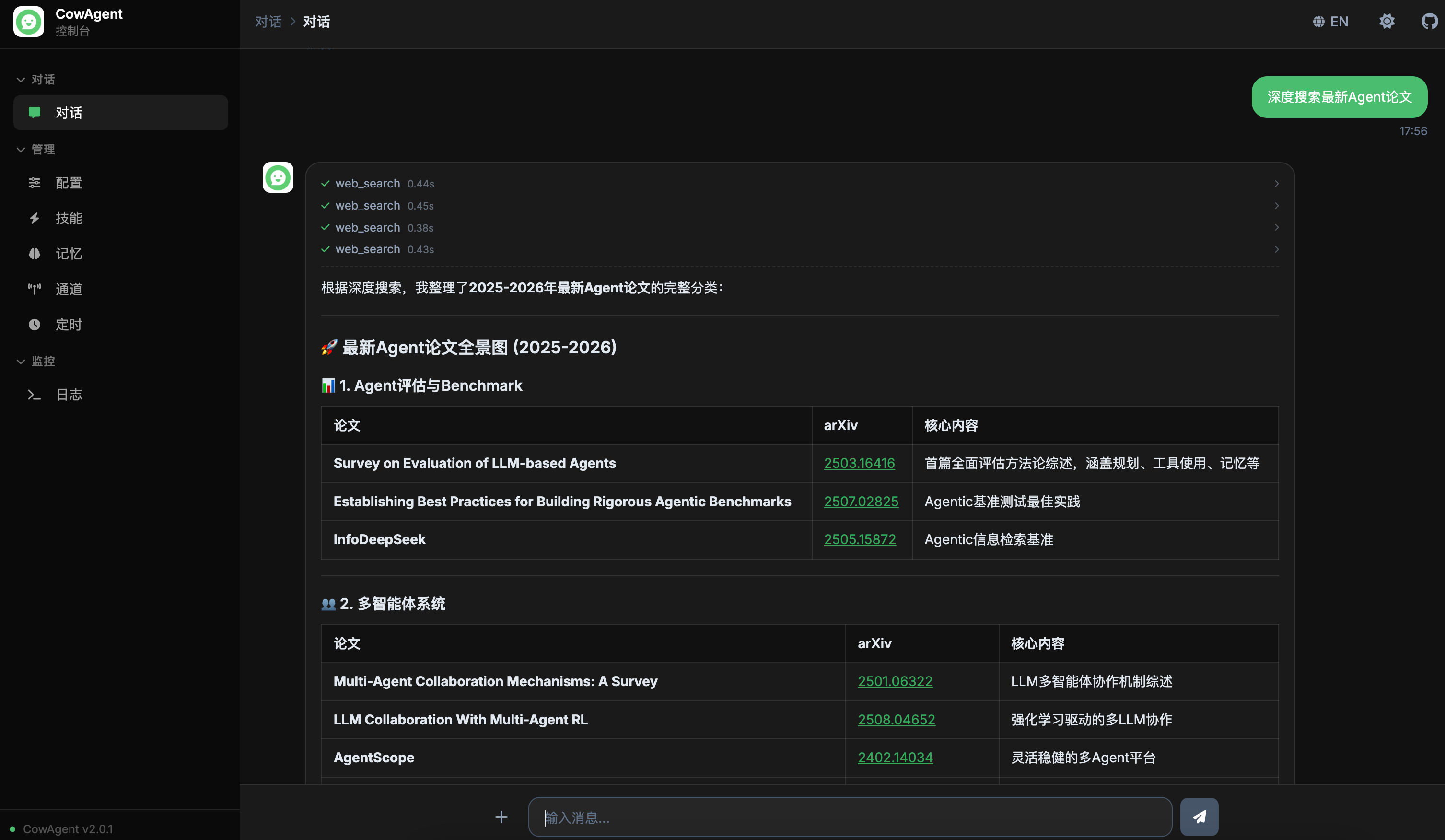
Multi-Session Management
The chat interface supports multi-session management. All session records are persistently stored in the database:- Session List: Click the history icon on the left to expand/collapse the session list panel, with scroll-to-load support for all historical sessions
- AI-Generated Titles: After the first exchange in a new session, the model is automatically called to generate a short summary title
- New Session: Click the “New Chat” button at the top of the session list or the
+button in the input area to create a new session - Delete Session: Click the delete button on a session item and confirm to permanently delete the session and all its messages
- Clear Context: Click the clear button in the input area to insert a divider in the current session. Messages above the divider are still displayed but no longer included as context for the model
- Workspace / Model / Permission: Set a workspace, model, and permission mode for the current session below the input box. When you work across several projects, past sessions are grouped by project automatically. See Architecture - Project Workspace

Sessions grouped by workspace, with a per-session workspace and model
Permission Modes
Each session can run under its own permission mode, controlling how far the Agent can reach into files and commands: read-only, workspace-write, or full-access. When a tool call is blocked, the hint is clickable so you can adjust the permission on the spot.
Per-session permission modes: read-only, workspace-write, full-access
Artifacts
Collects the pages, documents, images and videos your agents create on one timeline, with preview, pinning, and a jump back to the original conversation. The page is hidden by default; show it from the Custom Menu editor:
Model Management
Manage text, image, voice, and embedding model configurations for different providers online — no need to edit config files manually: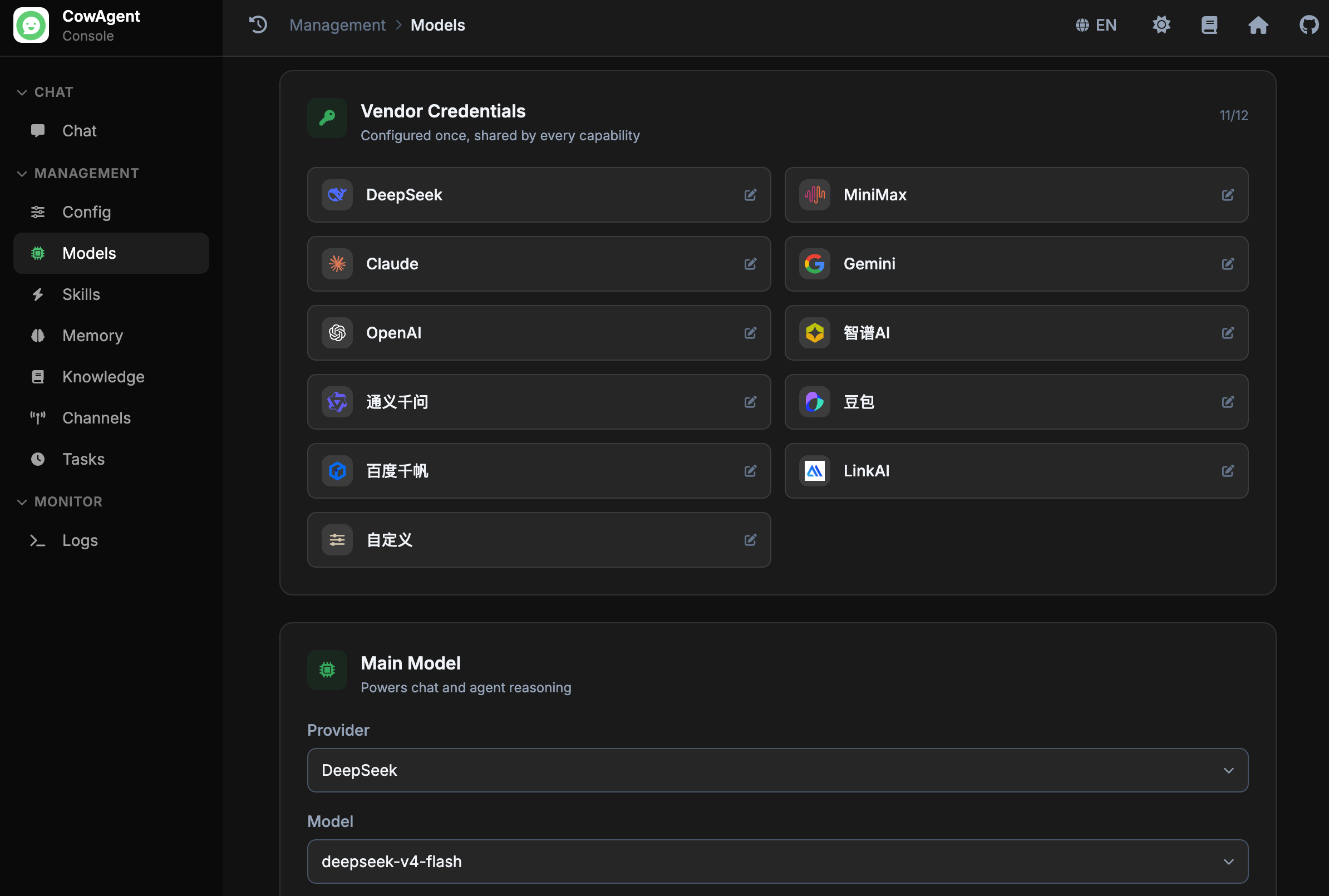
Skill Management
View and manage Agent skills (Skills) online: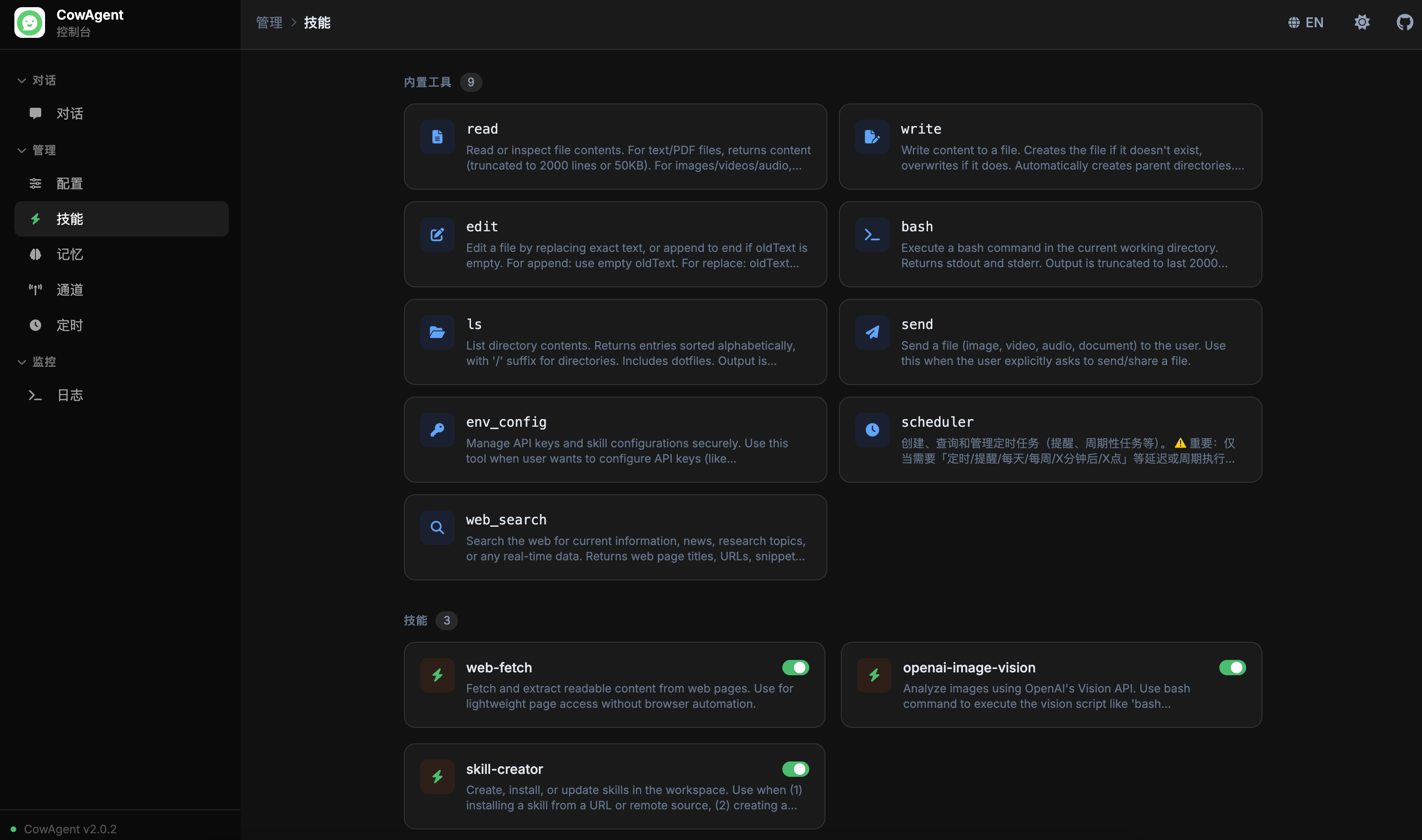
Memory Management
View and manage Agent memory online: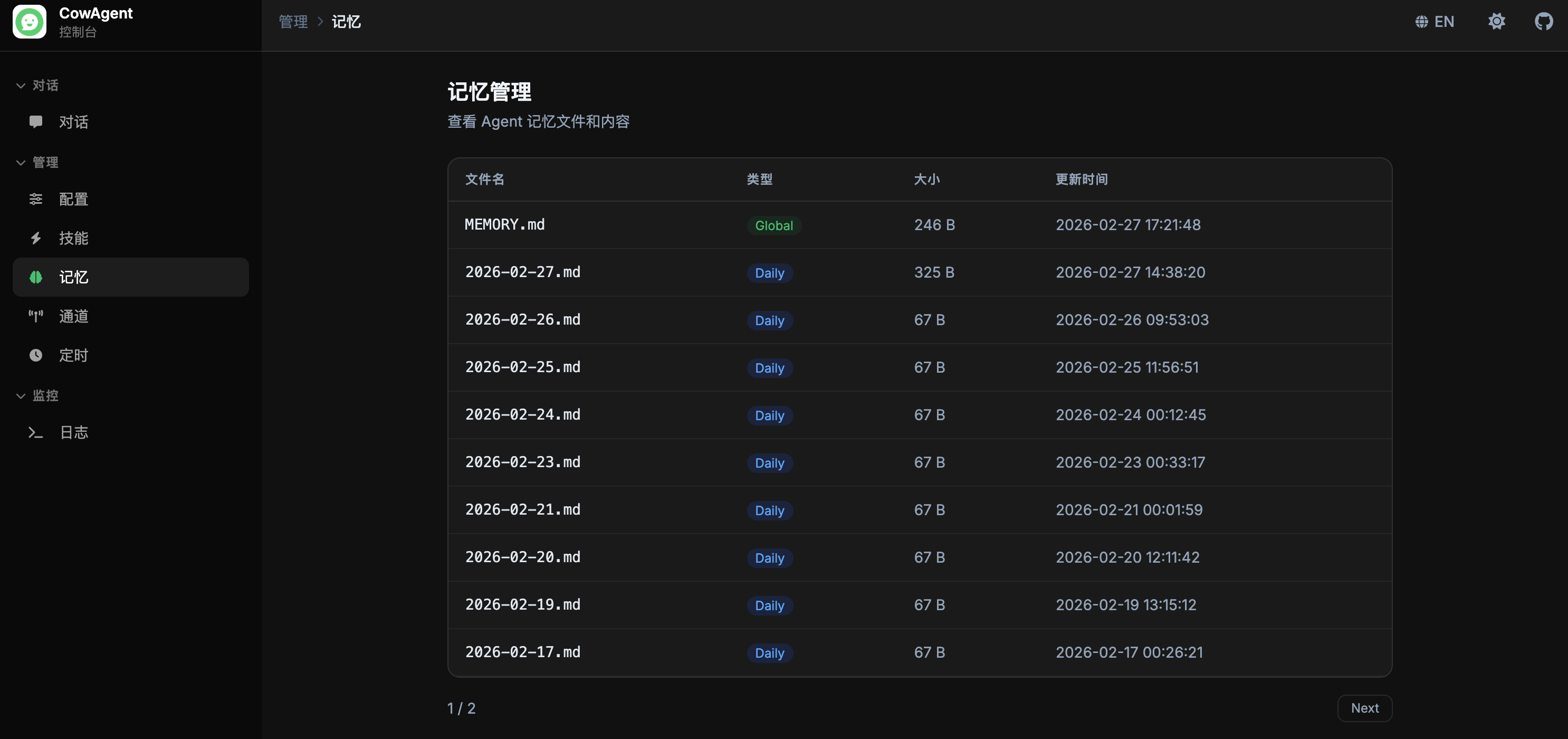
Channel Management
Manage connected channels online with real-time connect/disconnect operations: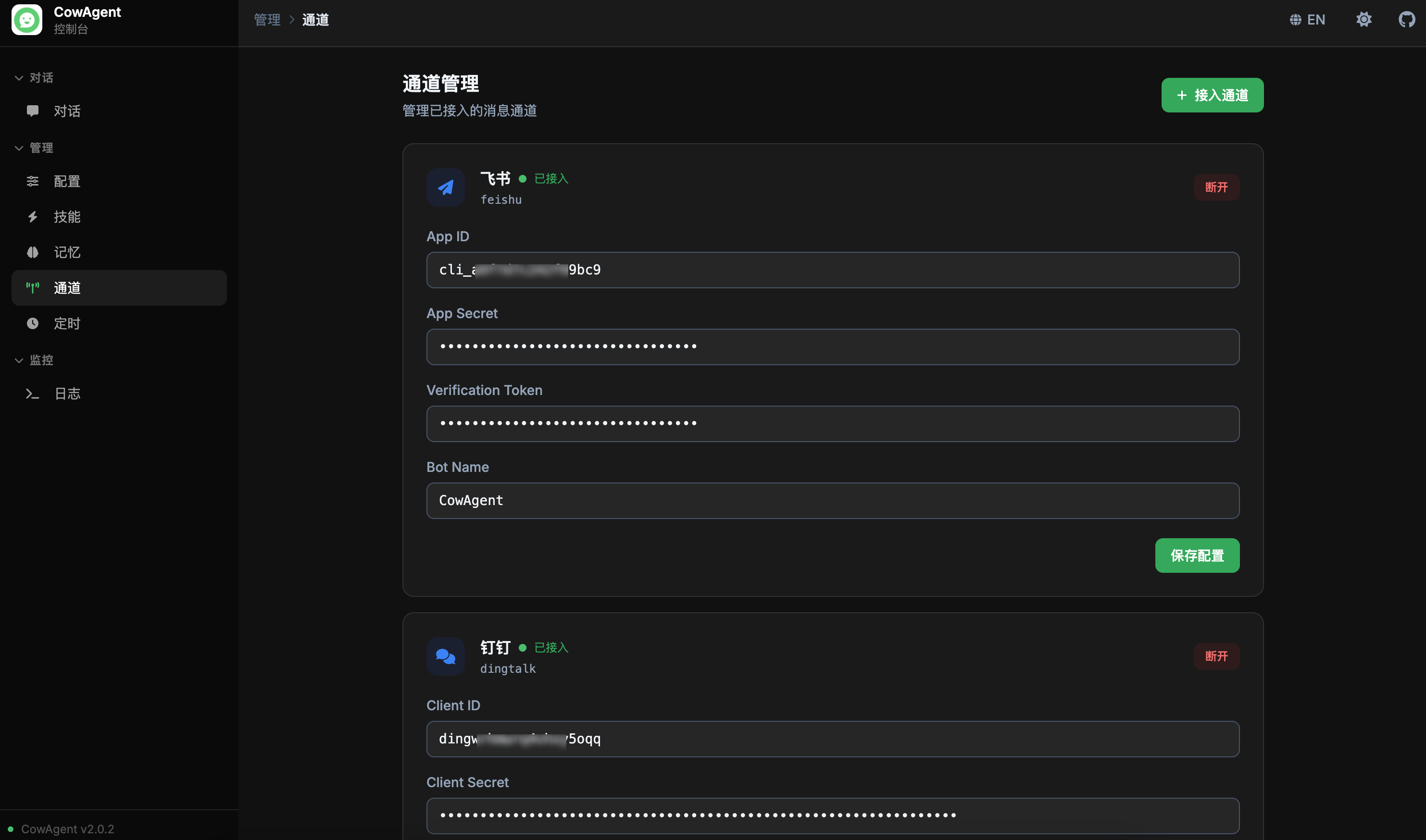
Scheduled Tasks
View and manage scheduled tasks online, including one-time tasks, fixed intervals, and Cron expressions: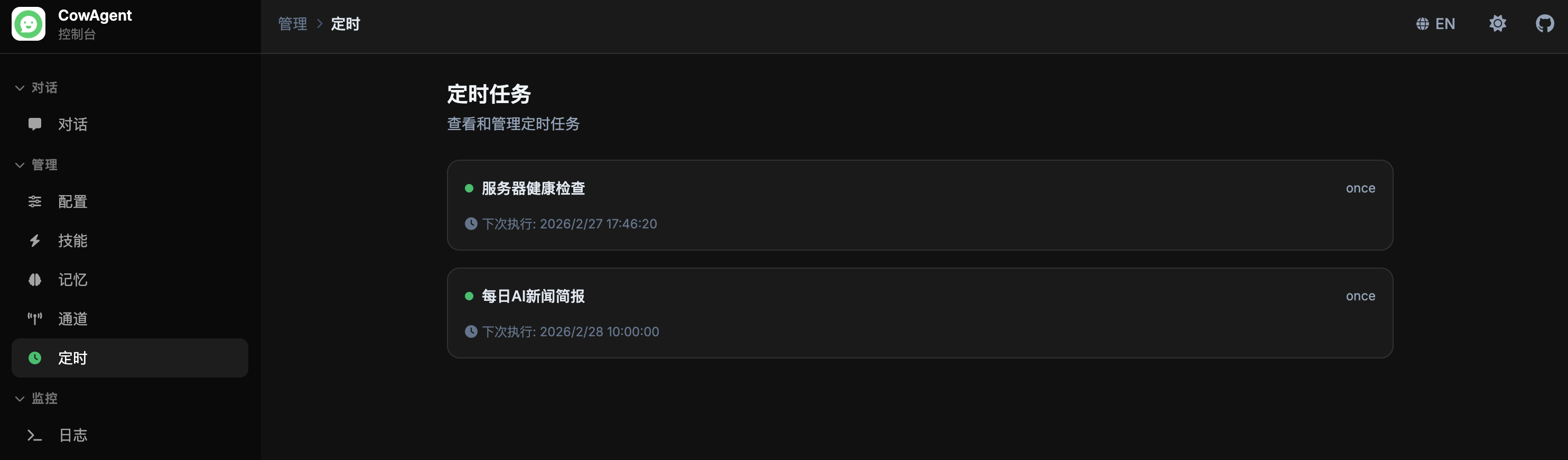
Logs
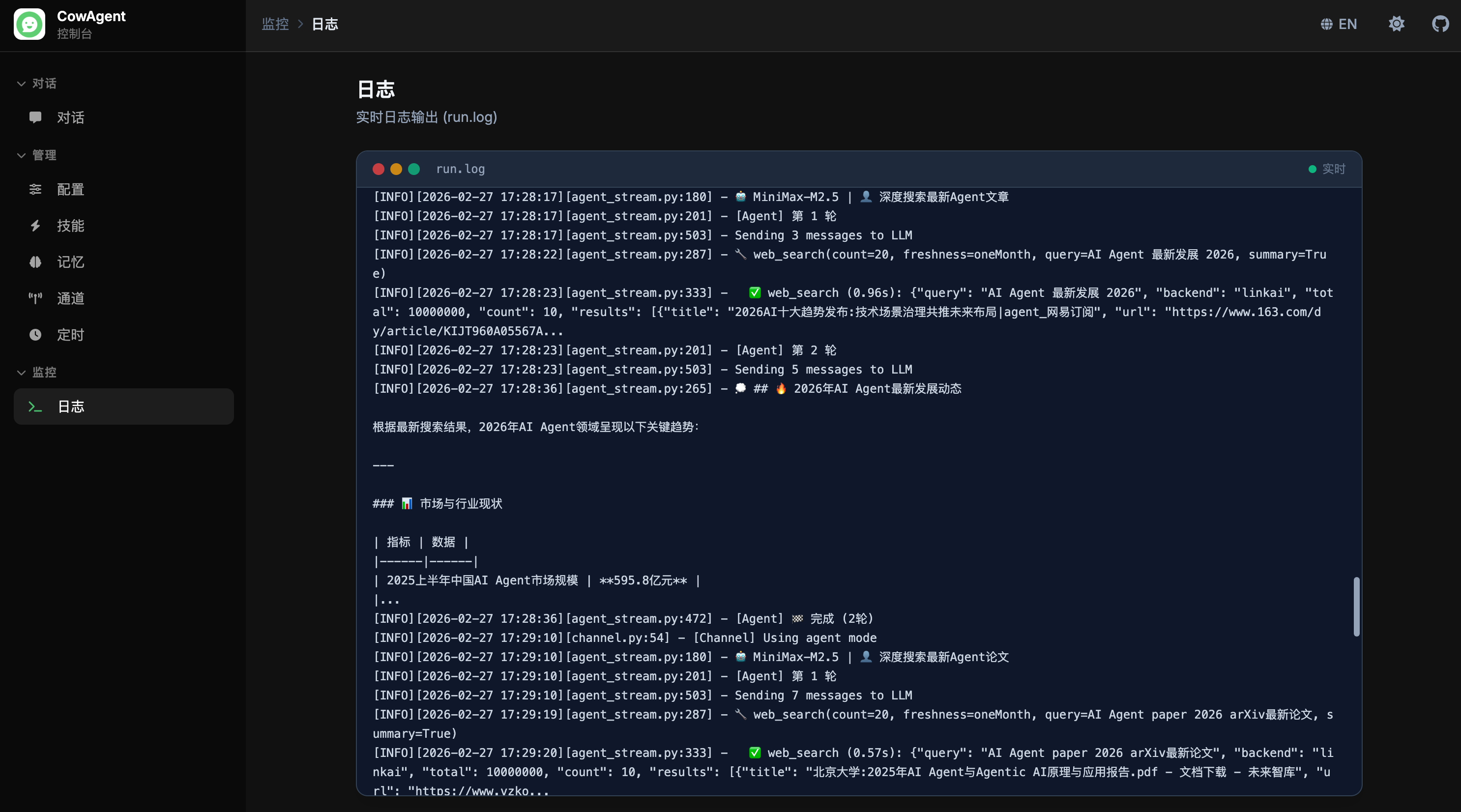
View Agent runtime logs in real time for monitoring and troubleshooting: