
Official Accounts only support server and Docker deployment, not local run mode. Install extended dependencies:
pip3 install -r requirements-optional.txt1. Personal Subscription Account
Add the following configuration toconfig.json:
Setup Steps
These configurations must be consistent with the WeChat Official Account Platform. Navigate to Settings & Development → Basic Configuration → Server Configuration and configure as shown below: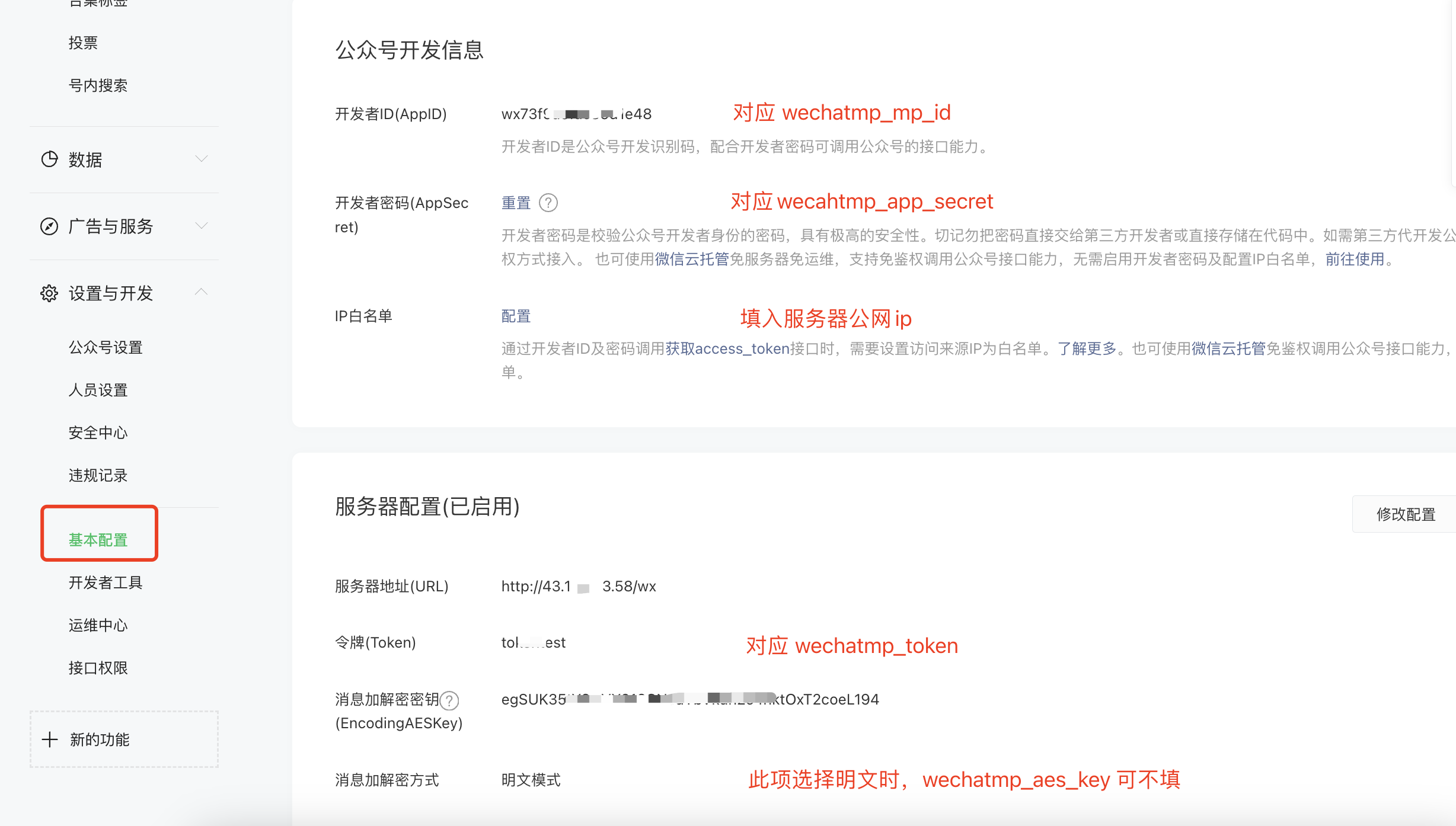
- Enable the developer secret on the platform (corresponds to
wechatmp_app_secret), and add the server IP to the whitelist - Fill in the
config.jsonwith the official account parameters matching the platform configuration - Start the program, which listens on port 80 (use
sudoif you don’t have permission; stop any process occupying port 80) - Enable server configuration on the official account platform and submit. A successful save means the configuration is complete. Note that the “Server URL” must be in the format
http://{HOST}/wx, where{HOST}can be the server IP or domain
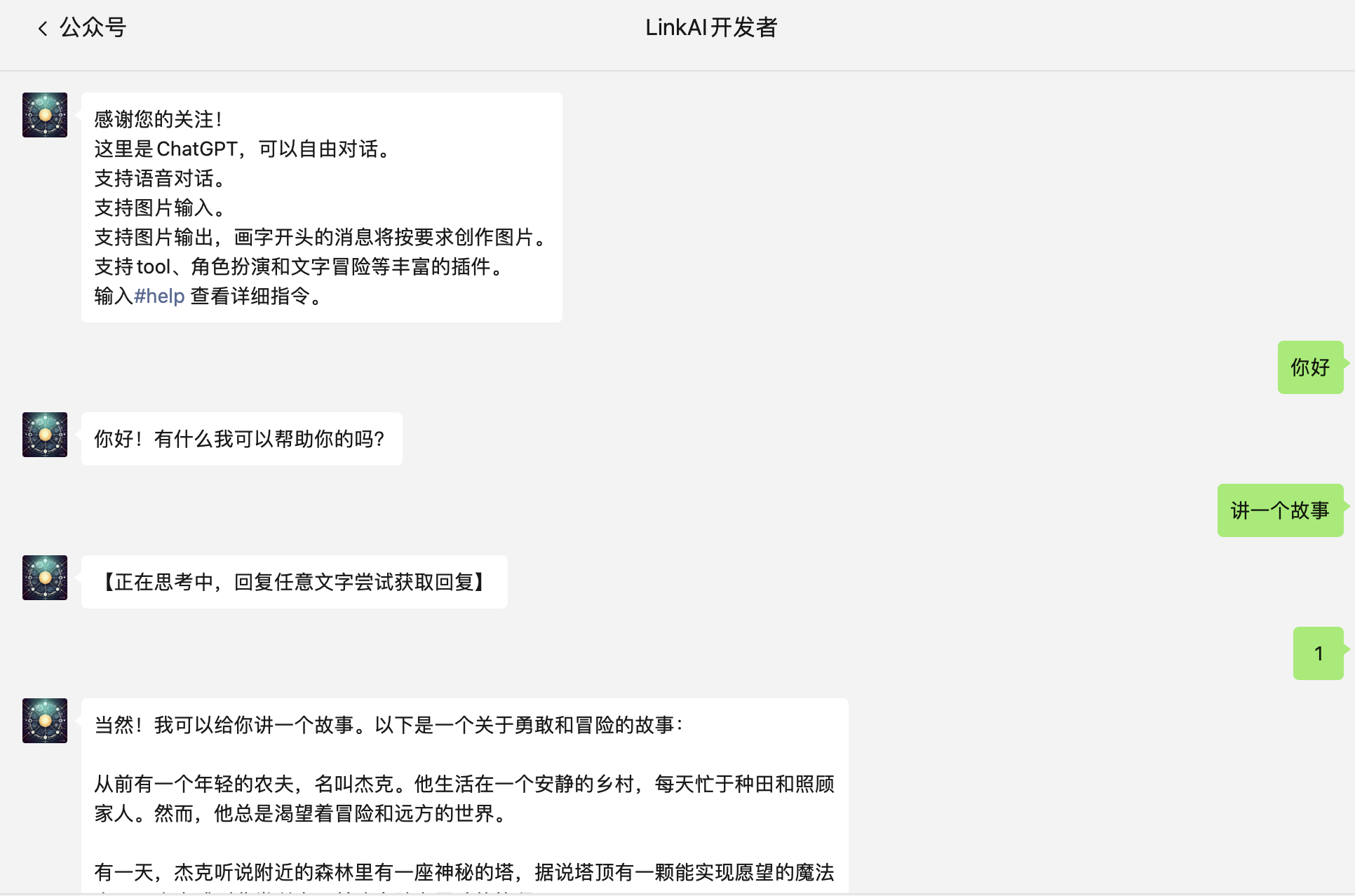 Due to subscription account limitations, short replies (within 15s) can be returned immediately, but longer replies will first send a “Thinking…” placeholder, requiring users to send any text to retrieve the answer. Enterprise service accounts can solve this with the customer service API.
2. Enterprise Service Account
The setup process for enterprise service accounts is essentially the same as personal subscription accounts, with the following differences:- Register an enterprise service account on the platform and complete WeChat certification. Confirm that the Customer Service API permission has been granted
- Set
"channel_type": "wechatmp_service"inconfig.json; other configurations remain the same - Even for longer replies, they can be proactively pushed to users without requiring manual retrieval