
Integrate CowAgent into Feishu via a custom enterprise app. Supports p2p chat and group chat (@bot), uses WebSocket long connection (no public IP needed), supports streaming typewriter replies and voice messages.
You need to be a Feishu enterprise user with admin privileges.
1. Setup
Option 1: One-click Scan to Create (Recommended)
No need to manually create an app on the Feishu Developer Platform. Start the Cow project, open the web console (defaulthttp://127.0.0.1:9899/), go to Channels, click Add Channel, choose Feishu, then under the Scan QR tab click One-click Create Feishu App and scan with the Feishu App to complete app creation and connection automatically.
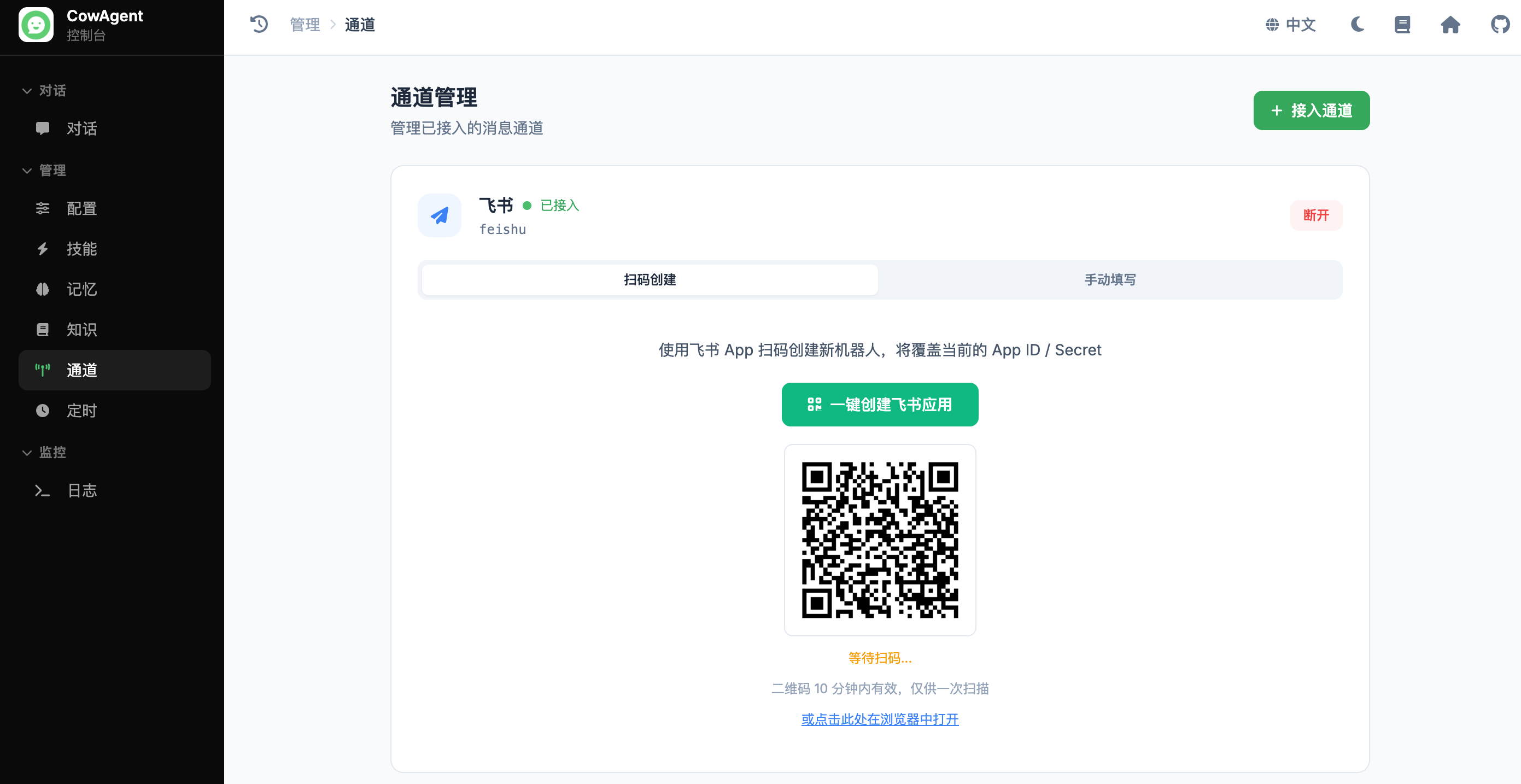
- Requires
lark-oapi≥ 1.5.5. - The created app comes with all required permissions (messaging, card read/write, group events, etc.) and event subscriptions pre-configured — no manual setup on the developer console needed. Currently only the Feishu mainland version is supported (Lark international not yet supported).
feishu_app_id configured, the QR code is also printed to the terminal.
Option 2: Manual Setup
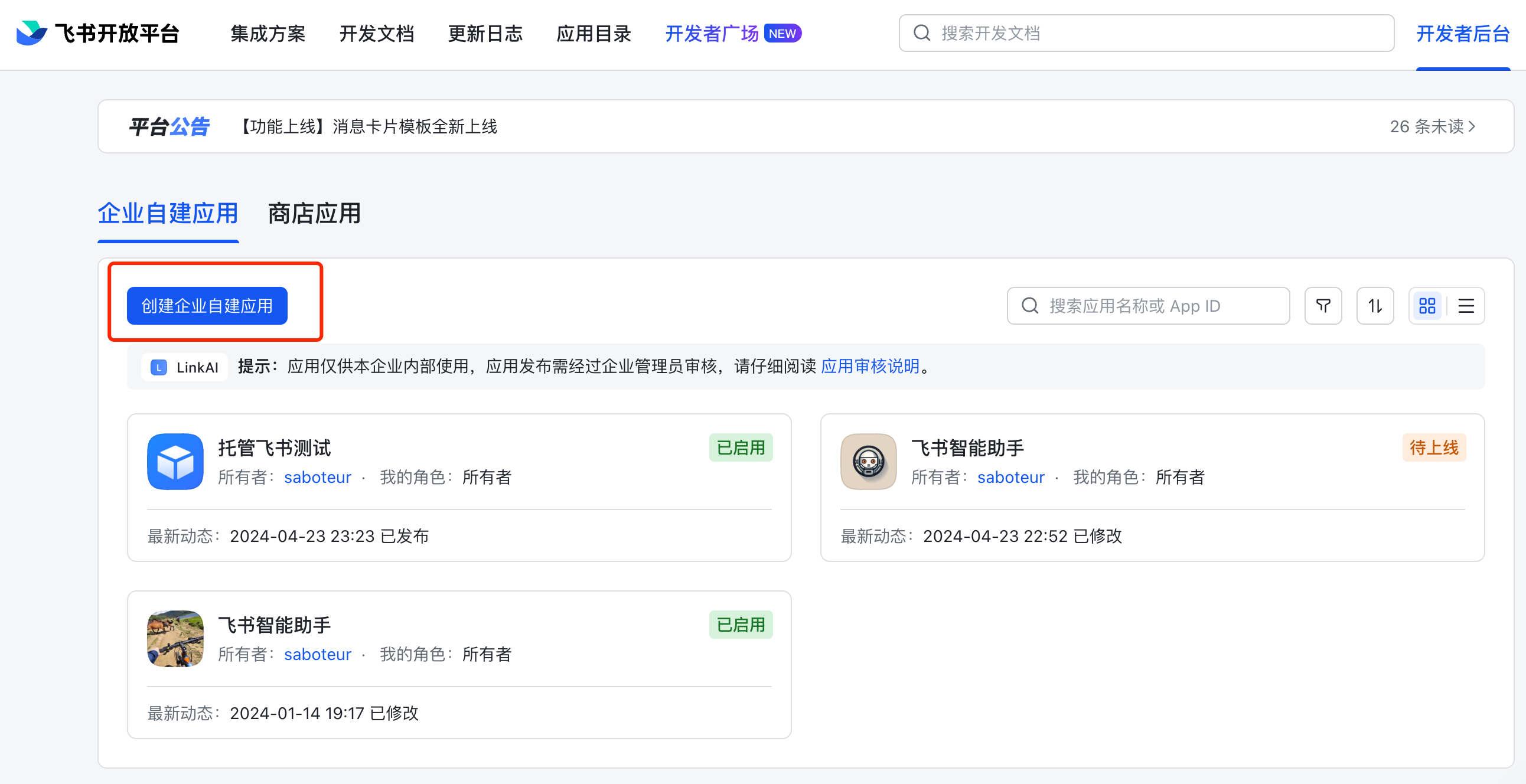
Manually create a custom app on the Feishu Developer Platform, then connect via Web Console or config file. Step 1: Create the App- Go to Feishu Developer Platform, click Create Enterprise Custom App:
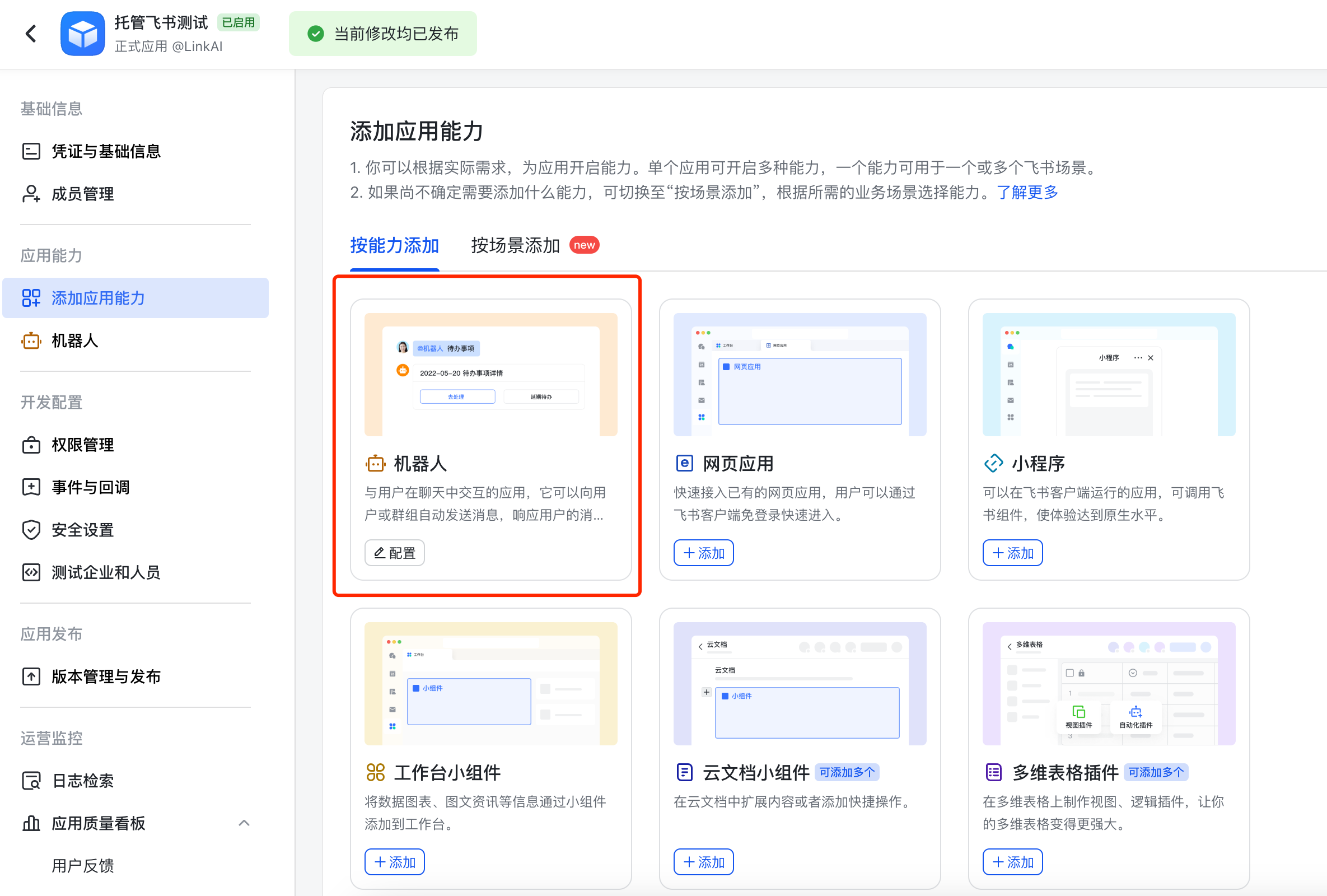
- In Add App Capabilities, add the Bot capability:
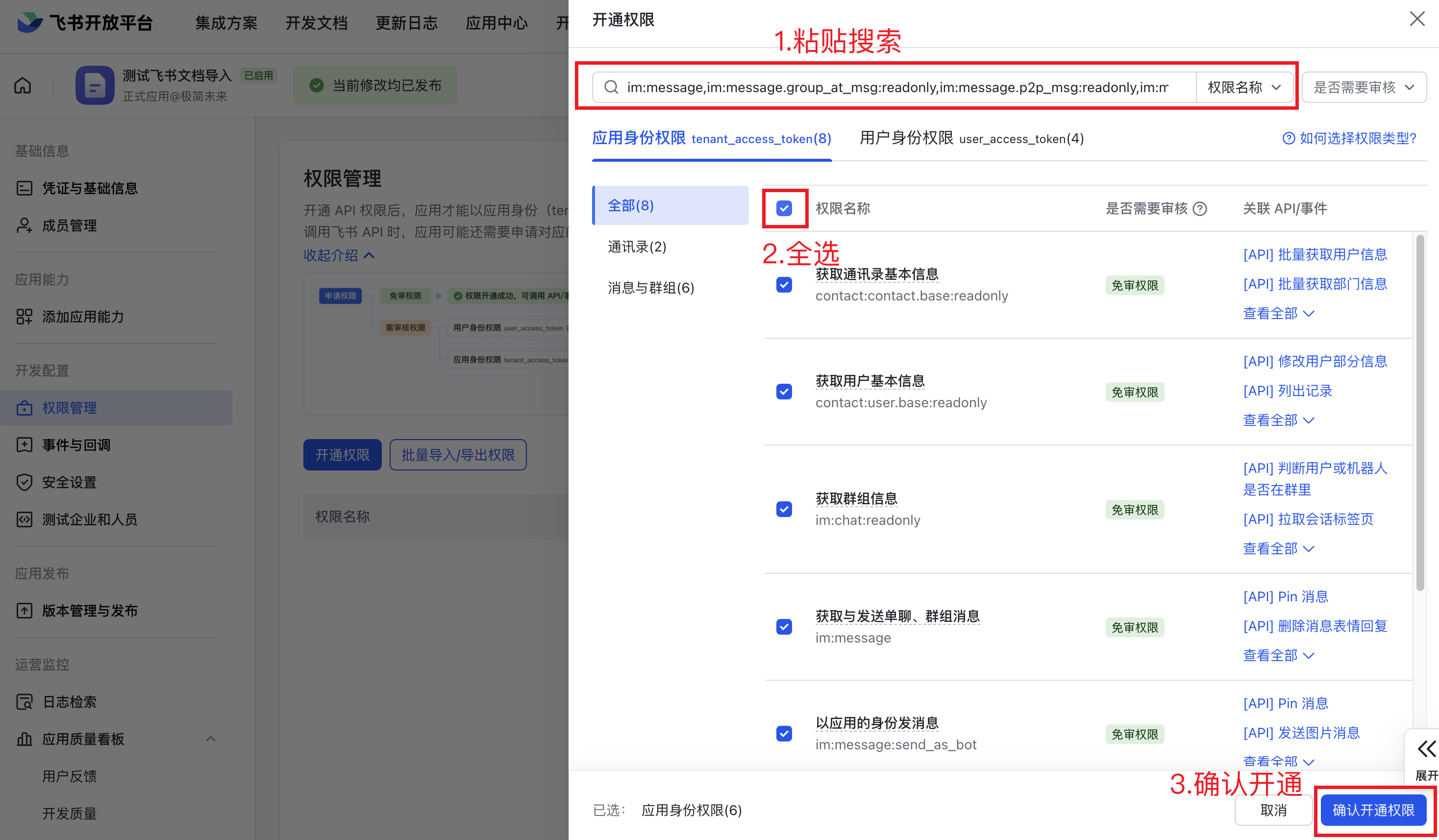
- In Permission Management, paste the following permissions and Batch Enable all:
- Get
App IDandApp Secretfrom Credentials & Basic Info:
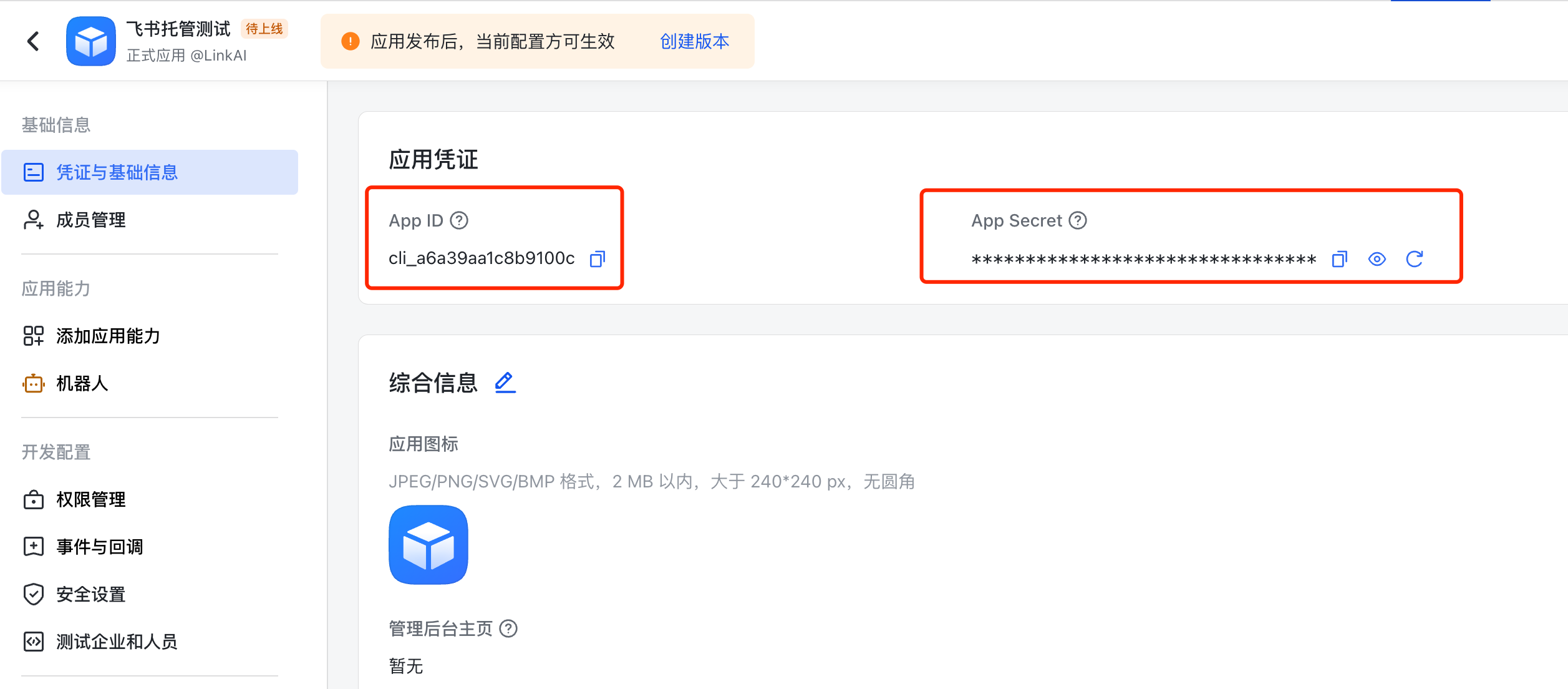 Step 2: Connect to CowAgent
- Web Console
- Config File
Open the web console, go to Channels, click Add Channel, choose Feishu, switch to the Manual tab, enter App ID and App Secret, then click connect.
- After Cow is running, go to Events & Callbacks in the Feishu Developer Platform, choose Long Connection mode and save:
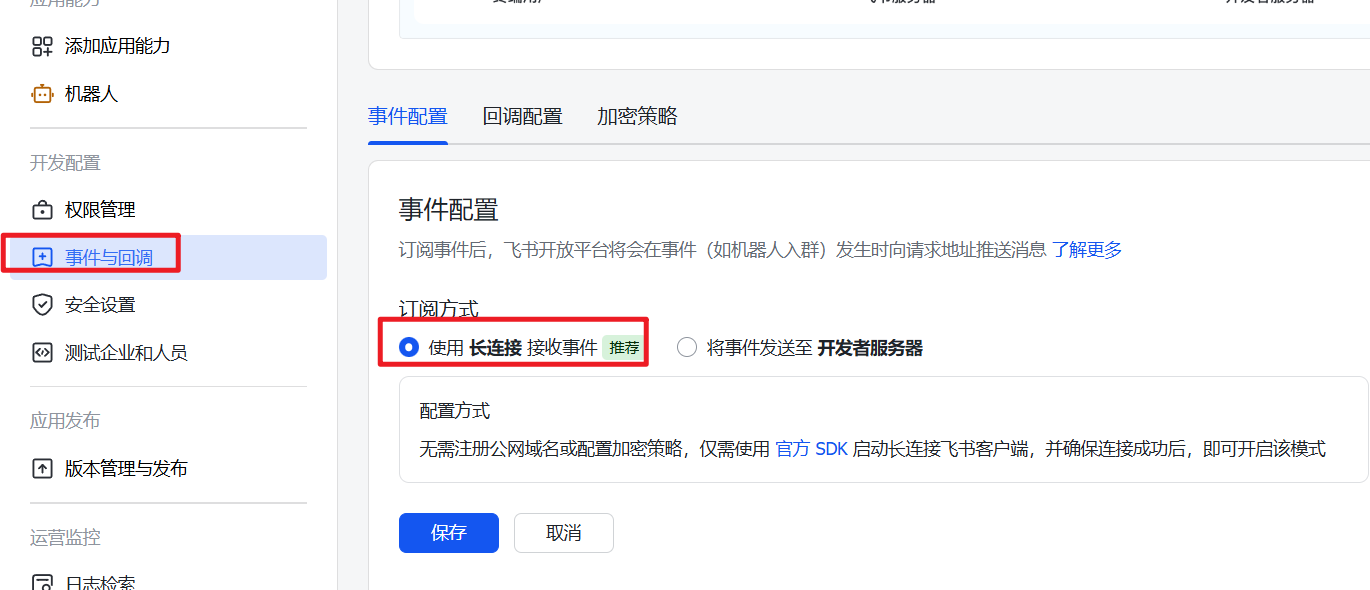
- Click Add Event, search for “Receive Message” and choose Receive Message v2.0.
-
(Optional) Under Callbacks, add Card Action Trigger (
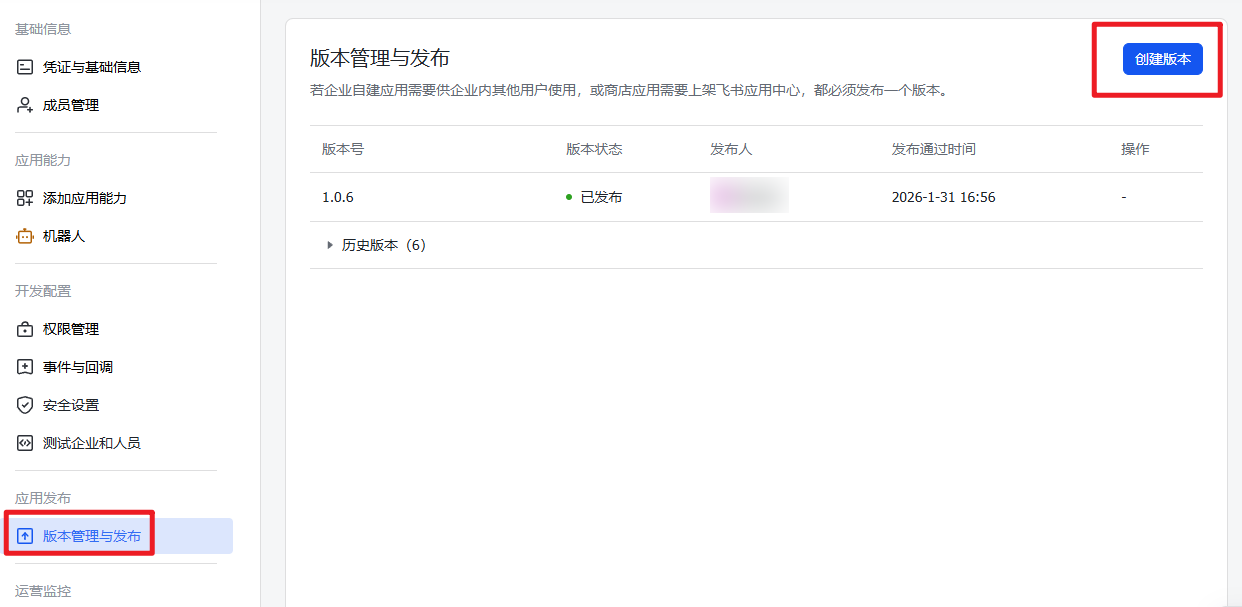
card.action.trigger) to enable/tasksscheduler commands; add the Message Recalled (im.message.recalled_v1) event to cancel a task by recalling its message. - Click Version Management & Release, create a version and apply for Production Release. Approve the request in the Feishu client:
2. Features
Streaming reply requires the
cardkit:card:write permission (already enabled by one-click creation) and Feishu client version ≥ 7.20. Older clients see an upgrade prompt; if the permission or version is not satisfied, replies fall back to plain text automatically.3. Usage
After connection, search for the bot name in Feishu to start a chat. To use in groups, add the bot to a group and @-mention it. Send/tasks in a private chat, or @-mention the bot with /tasks in a group, to manage tasks belonging to that chat.