
跳转到主要内容
CowAgent includes a built-in Skill Creator that lets you quickly create, install, or update skills through natural language conversation.

Usage

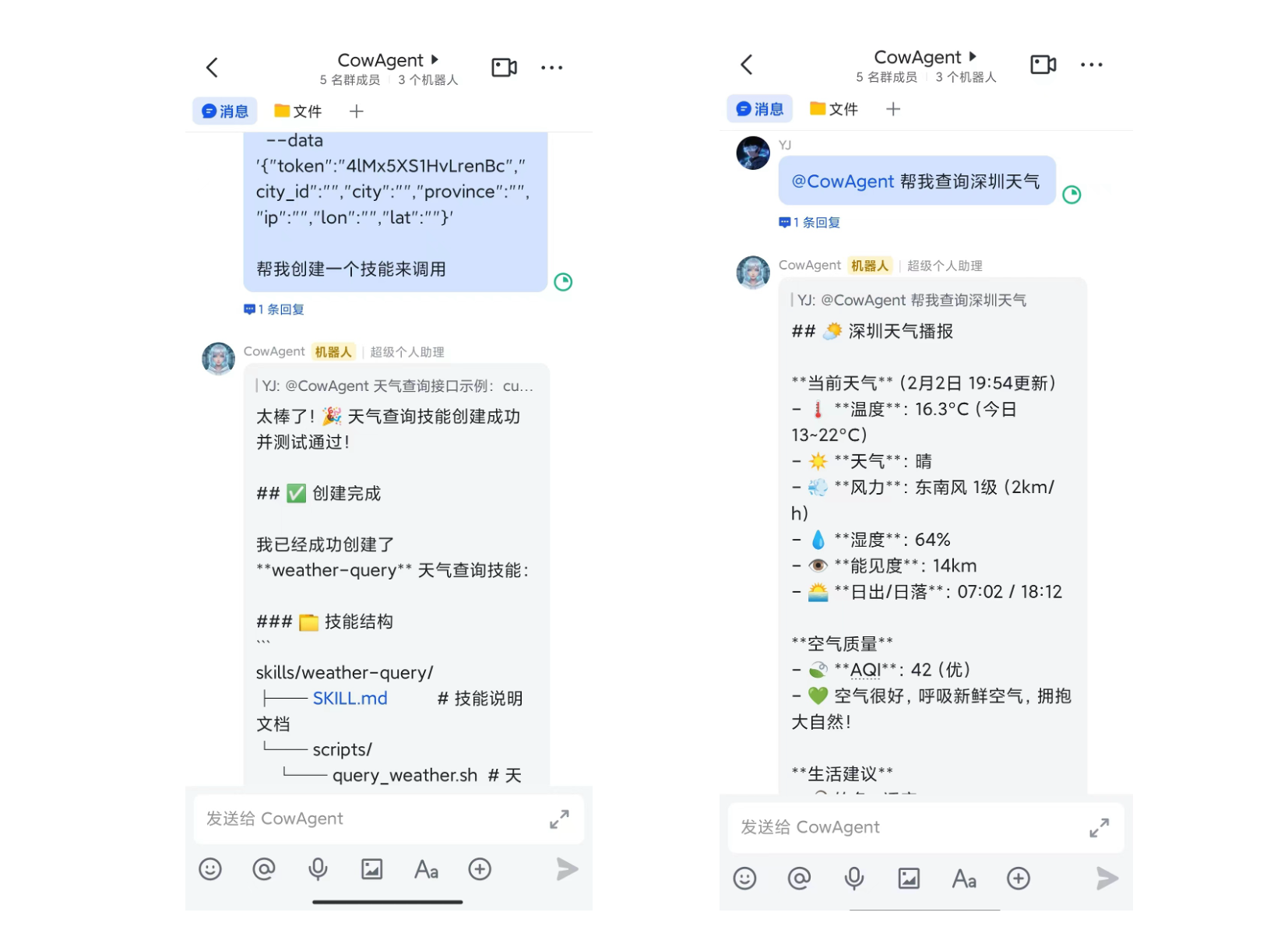
Simply describe the skill you want in a conversation, and the Agent will handle the creation:
  • Codify workflows as skills: “Create a skill from this deployment process”
  • Integrate third-party APIs: “Create a skill based on this API documentation”
  • Install remote skills: “Install xxx skill for me”

Creation Flow

  1. Tell the Agent what skill you want to create
  2. Agent automatically generates SKILL.md description and execution scripts
  3. Skill is saved to the workspace ~/cow/skills/ directory
  4. Agent will automatically recognize and use the skill in future conversations
SKILL.md Format

Created skills follow the standard SKILL.md format:
---
name: my-skill
description: Brief description of the skill
metadata:
  emoji: 🔧
  requires:
    bins: ["curl"]
    env: ["MY_API_KEY"]
  primaryEnv: "MY_API_KEY"
---

# My Skill

Detailed instructions...
FieldDescription
nameSkill name, must match directory name
descriptionSkill description, Agent decides whether to invoke based on this
metadata.requires.binsRequired system commands
metadata.requires.envRequired environment variables
metadata.alwaysAlways load (default false)
See the Skill Creator documentation for details.