
Create and manage dynamic scheduled tasks with flexible scheduling and execution modes.Documentation Index
Fetch the complete documentation index at: https://docs.cowagent.ai/llms.txt
Use this file to discover all available pages before exploring further.
Dependencies
| Dependency | Install Command |
|---|---|
croniter ≥ 2.0.0 | pip install croniter>=2.0.0 |
pip3 install -r requirements.txt
Scheduling Modes
| Mode | Description |
|---|---|
| One-time | Execute once at a specified time |
| Fixed interval | Repeat at fixed time intervals |
| Cron expression | Define complex schedules using Cron syntax |
Execution Modes
- Fixed message: Send a preset message when triggered
- Agent dynamic task: Agent intelligently executes the task when triggered
Usage
Create and manage scheduled tasks with natural language:- “Send me a weather report every morning at 9 AM”
- “Check server status every 2 hours”
- “Remind me about the meeting tomorrow at 3 PM”
- “Show all scheduled tasks”
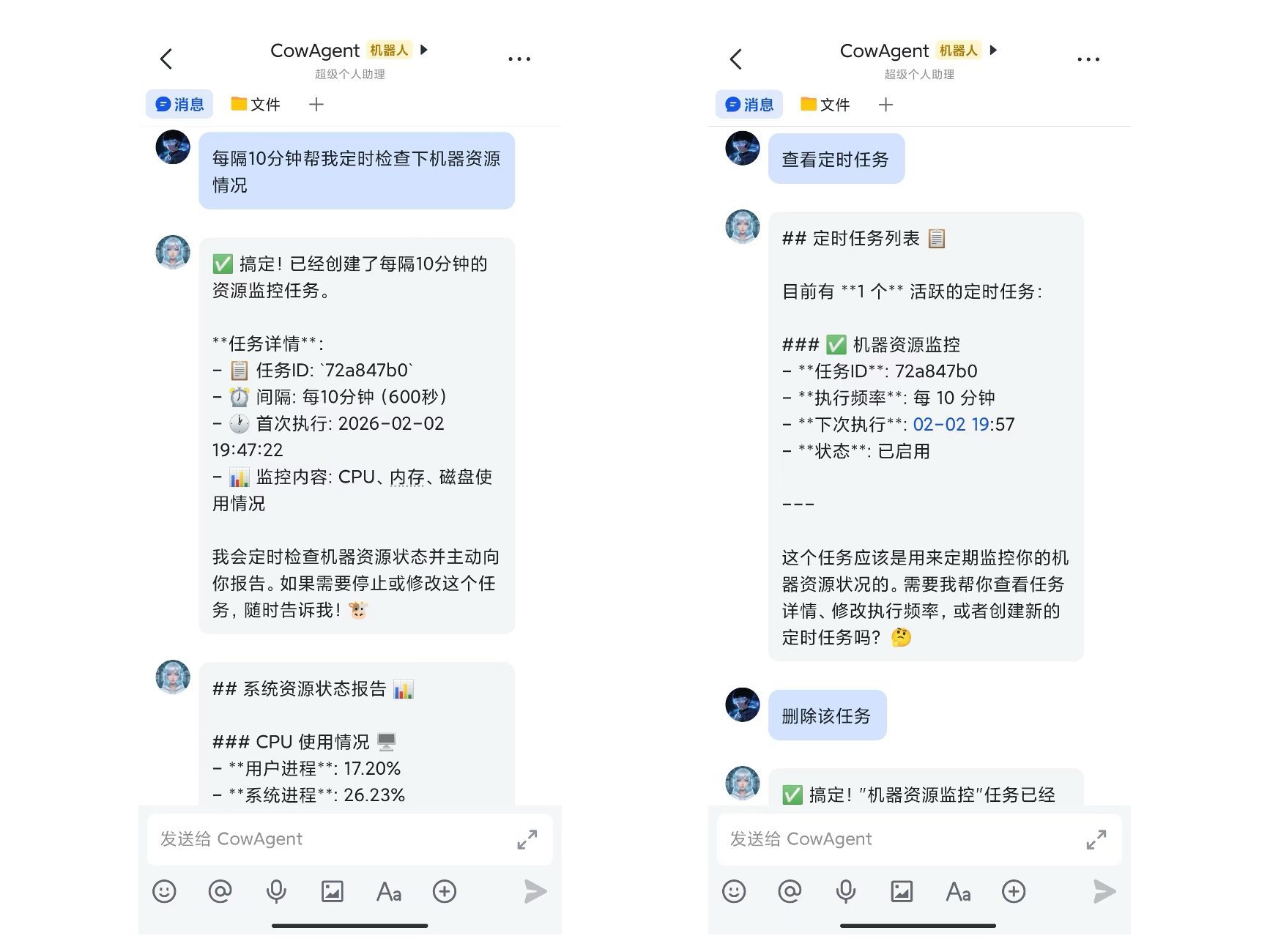
Results injected into the conversation
Scheduled tasks run inside an isolated session (so internal planning and tool calls do not pollute the user’s chat), but the final output is written back to the user’s real session as a message pair. You can directly follow up — e.g. “expand on point 2 from earlier”. Default policy- Output of Agent dynamic tasks is injected into the conversation
- Fixed-message tasks are not injected by default (configurable)
- Each session keeps the most recent 3 pairs of scheduler messages; older pairs are pruned automatically. Regular user messages are unaffected
| Key | Default | Description |
|---|---|---|
scheduler_inject_to_session | true | Master switch |
scheduler_inject_max_per_session | 3 | Max scheduler message pairs kept per session |
scheduler_inject_send_message | false | Whether to also inject fixed-message tasks |
Context inside scheduled task execution
The isolated session for scheduled tasks retains a few recent runs of conversation history, so you can naturally do “compare with last time” or “continue from previous conclusion”. To prevent prompts from growing unbounded for high-frequency tasks (e.g. a 5-minute monitor), history is auto-trimmed:agent_max_context_turns defaults to 20, so each scheduled run keeps the most recent 4 turns of history by default. Increase agent_max_context_turns if you need longer memory.
For group-chat scenarios (Feishu / WeCom group bots / DingTalk, etc.), the user’s real
session_id looks like user_id:group_id — different from receiver. Scheduler records the correct session_id when a task is created. For older tasks.json entries missing this field, the runtime falls back to receiver, matching legacy behavior.